

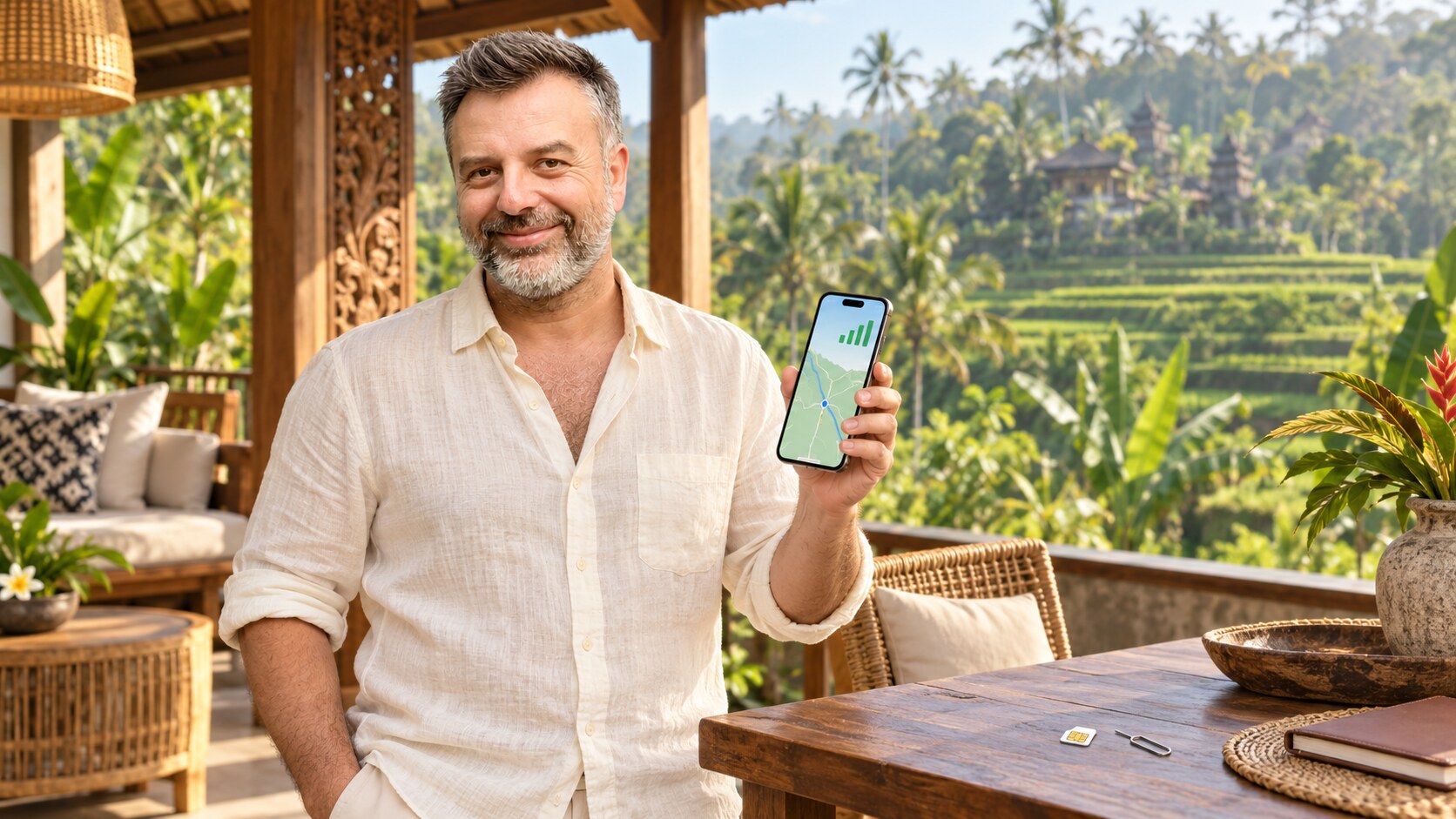
Having reliable mobile internet is one of the first things I arrange when I arrive in Bali. I use my phone constantly here—not only for messages and social media, but also for maps, Grab or Gojek, restaurant reservations, translation, banking and checking the weather before travelling across the island.
In my experience, getting connected in Bali is easy once you understand the difference between a local SIM, a local eSIM and an international travel eSIM. The cheapest option is not always the one I choose. I prefer the solution that gives me reliable coverage in the places I actually plan to visit.
Last updated: September 2026
Mobile packages, prices, registration procedures and coverage can change. I recommend checking the operator’s official website or application before purchasing.
MY QUICK RECOMMENDATION
Based on my own experience in Bali, I would choose between Telkomsel, XL and Tri according to the length of my stay and where I plan to travel. These are the three networks I trust most for avoiding unpleasant surprises.
- Telkomsel: my choice for the strongest overall coverage and the most reliable signal across Bali.
- XL: my best price-to-performance choice, with large data packages at reasonable prices.
- Tri (3): a budget-friendly network widely used by local people; its performance is generally better than many visitors expect.
I do not recommend buying an international travel eSIM from an eSIM application before arriving. In my experience, these services often connect through whichever partner network is cheapest rather than the network with the best coverage. The result can be weak signal, slow data and poor coverage exactly when you need navigation or transport.
If you want to keep your home-country SIM active for incoming SMS, I recommend buying a local Indonesian eSIM from Telkomsel, XL or Tri instead of an international travel-eSIM application. Telkomsel eSIM is the easiest local option to find. XL eSIM is less widely available, and Tri eSIM can be harder to locate.
WHY I DO NOT RELY ONLY ON WI-FI
Many hotels, villas, cafés and coworking spaces in Bali have Wi-Fi, but the quality is not consistent. A connection that is fast in the lobby may be weak in a room, and heavy rain, power interruptions or too many connected guests can affect performance.
I treat Wi-Fi as my main connection when I am working, but I always keep mobile data as a backup. This has made a real difference when I have needed to join a call, confirm a driver, find a location or send an urgent message during an internet interruption.
PHYSICAL SIM OR LOCAL eSIM?
LOCAL PHYSICAL SIM
A local physical SIM is usually the easiest and best-value option if my phone has an unlocked SIM slot. It can include an Indonesian number, which is useful for local calls, deliveries and some account registrations.
I buy it from an official operator store, GraPARI or an authorised seller. The staff should register and activate it using my passport and the phone’s IMEI number. I avoid unregistered cards or sellers who cannot explain whose name the number is registered under.
LOCAL INDONESIAN eSIM
If I want to keep my home-country physical SIM active so I can continue receiving bank codes and other SMS messages, I choose a local Indonesian eSIM. This gives me an Indonesian line for data while leaving my original SIM in the phone.
The distinction is important: I recommend an eSIM issued through Telkomsel, XL or Tri—not a generic international eSIM bought from a travel application. Telkomsel is currently the easiest local eSIM to find. XL availability varies by outlet, while finding a Tri eSIM can take more effort.
Before paying, I check that my exact phone model supports eSIM and is carrier-unlocked. A local eSIM still requires proper Indonesian registration. I also keep the QR code and activation details until the line is working, because some activation codes cannot be reused.
WHY I AVOID INTERNATIONAL TRAVEL eSIM APPS
Buying an international eSIM before travelling sounds convenient, but my experience has not been good. These companies usually do not operate their own network in Indonesia; they depend on local partner networks. The chosen partner may have poor coverage, weak signal or slow data in Bali.
You may also have no control over which Indonesian operator the eSIM uses. For that reason, I prefer waiting until Bali and choosing Telkomsel, XL or Tri directly. It takes a little more effort at the beginning, but I know which network I am paying for and can test it before leaving the seller.
WHICH MOBILE NETWORK DO I PREFER IN BALI?
TELKOMSEL: MY BEST CHOICE FOR COVERAGE
In my experience, Telkomsel is the best mobile operator in Bali for overall signal quality and coverage. It is the network I prefer when I expect to travel beyond the busiest tourist centres, visit the north or move through rural and highland areas.
The disadvantage is the tourist SIM structure. The Telkomsel Tourist Prepaid Card is designed for a 30-day stay. After its tourist validity ends, continuing with the same card can be difficult and visitors may be told to buy and register a new tourist SIM. For someone staying only a few weeks, this is simple. For a longer stay, it becomes inconvenient.
If I planned to remain in Bali long-term, I would not keep replacing Telkomsel tourist cards. I would ask for a regular Telkomsel prepaid SIM registered correctly for my status. These are not available from every tourist SIM seller, so I recommend going directly to an official Telkomsel GraPARI office and explaining how long you will stay.
The official tourist package and current registration information can be checked on the Telkomsel foreigner SIM registration page.
XL: MY BEST PRICE-TO-PERFORMANCE CHOICE
For me, XL offers the best balance between price and performance. Its internet packages usually provide high data allowances at reasonable prices, and the network works well in many of Bali’s populated and tourist areas.
Another practical advantage is that an XL tourist SIM can generally remain registered for foreign-device use for up to 90 days, with data packages renewed during that period. This makes it much more convenient than a 30-day-only tourist product for travellers staying for several weeks or a few months. I still recommend asking the seller to show the exact registration expiry and package validity on the phone, because the SIM registration period and the active data package are not always the same thing.
XL physical tourist SIMs are easier to find than XL eSIMs. If I specifically wanted an XL eSIM, I would check an official XL Centre or authorised outlet rather than assume every airport or street seller has one.
TRI (3): THE AFFORDABLE LOCAL CHOICE
Tri—written as “3” and pronounced “Tri” in Indonesia—is popular with local users because its packages are affordable. In my experience, the performance is not bad at all, particularly in populated areas, and it can be a very sensible choice for travellers who want to keep costs low.
I would not choose Tri as my first option for exploring remote parts of Bali, but for everyday use around established towns and tourist zones it can offer good value. Physical Tri SIM cards are available, although tourist registration and eSIM availability can be harder to find than Telkomsel. I would look for an official or experienced authorised seller who can complete the passport and IMEI registration correctly.
HOW I CHOOSE BETWEEN THE THREE
- Short stay and maximum coverage: Telkomsel Tourist SIM or local Telkomsel eSIM.
- Several weeks to approximately three months: XL is usually my first price-performance recommendation.
- Lower budget and mainly populated areas: Tri is worth considering.
- Long-term stay: a regular, properly registered SIM from an official operator office rather than repeatedly buying tourist SIMs.

WHERE I WOULD BUY A SIM IN BALI
The airport is convenient, particularly if I need a connection immediately, but convenience can come with a higher price or fewer package choices. I do not make a decision only from the first counter I see.
If I can manage the journey to my accommodation using airport Wi-Fi, a pre-arranged transfer or an existing roaming connection, I prefer visiting an official operator store or GraPARI after arrival. Official staff can register the SIM correctly, explain the package and help if activation fails.
Wherever I buy it, I do not leave the counter until I have checked all of the following:
- Mobile data works with Wi-Fi switched off.
- The phone displays the expected network.
- The correct data package is active.
- I know the Indonesian phone number, if the plan includes one.
- I have installed the operator’s official application when useful.
- I know how to check remaining data and validity.
- My personal hotspot works if I plan to use it.
PASSPORT AND IMEI REGISTRATION
Foreign visitors are normally asked for a passport and the phone’s IMEI when registering an Indonesian SIM. I find the IMEI by dialling *#06# or checking the device settings. Dual-SIM phones may display more than one IMEI, so I show the staff the device and let them register the correct line.
I also keep two different procedures separate in my mind:
- Operator registration activates a prepaid SIM or eSIM for a foreign visitor.
- Customs IMEI registration concerns imported phones and longer-term use in Indonesia.
For an ordinary short holiday, I would not pay an unofficial seller for a permanent customs registration without understanding why it is required. If I were bringing an imported phone for long-term use, I would check the current rules directly with Indonesian Customs.
HOW I SET UP DUAL SIM WITHOUT SURPRISE ROAMING CHARGES
When I keep my home number active together with a Bali SIM or eSIM, I set the Indonesian line as the mobile-data line. I switch off data roaming on my home line and disable automatic mobile-data switching. This lets me continue receiving important messages on my usual number without accidentally using expensive international data.
WhatsApp normally continues to work with the existing account number even after a different SIM is installed. If the application asks whether I want to change my WhatsApp number, I do not change it unless that is genuinely what I intend to do.
HOW MUCH DATA DO I USUALLY NEED?
My data requirement depends more on my habits than the length of the trip. Maps, messaging and ride-hailing use relatively little data. Video calls, cloud backups, social-media uploads and streaming can use a great deal.
- Light use: maps, WhatsApp, email and occasional browsing.
- Normal travel use: regular navigation, social media, bookings and photo sharing.
- Heavy use: remote work, hotspot use, video calls, streaming and frequent video uploads.
I usually choose a little more data than I think I need, but I do not buy the largest package automatically. I first check whether the advertised quota is national data or divided into local, application-specific and 5G allowances.
MY SETTINGS FOR A SMOOTHER TRIP
- I download offline maps for Bali before travelling.
- I install Grab and Gojek and complete basic account setup.
- I keep WhatsApp available because many local businesses use it.
- I turn off automatic photo and video backup when using mobile data.
- I download essential bookings and addresses for offline access.
- I carry a power bank because navigation and mobile data drain the battery quickly.
- I save my accommodation pin rather than relying only on its written address.
Saving the exact map pin is especially helpful in Bali. Street addresses do not always lead precisely to a villa entrance, and different properties can have similar names.
INTERNET FOR REMOTE WORK
If I have an important call or deadline, I never rely on a single connection. I test the accommodation Wi-Fi in the actual room where I will work, not only beside the router. I also test my phone’s hotspot before the meeting.
For a long stay, I ask the accommodation about download speed, upload speed, router location and what happens during a power cut. A speed-test screenshot is useful, but stability during the hours I work matters more than one impressive result.
COMMON MISTAKES I AVOID
- Buying a SIM without checking whether the phone is carrier-unlocked.
- Leaving the shop before mobile data has been tested.
- Assuming “unlimited” means full-speed unlimited data.
- Confusing total quota with national, local or application-only quota.
- Using an unofficial seller who registers the number under someone else’s identity.
- Keeping data roaming active on the home SIM.
- Deleting an eSIM before confirming that it can be reinstalled.
- Depending on airport Wi-Fi for transport and navigation.
- Uploading large photo or video libraries over mobile data automatically.
MY FINAL RECOMMENDATION
My first choice for the best overall network in Bali is Telkomsel. For a short visit, its 30-day tourist SIM is practical. For a longer stay, I would go to a Telkomsel GraPARI office and ask for the correct regular prepaid option instead of buying a new tourist SIM every month.
For the best combination of price, large data packages and practical use over a stay of up to about 90 days, I prefer XL. If budget matters most and I will mainly stay in populated areas, I also consider Tri, which many local people use.
The option I avoid is an international eSIM purchased through a travel-eSIM application before arrival. I would rather choose the actual Indonesian network myself and know whether I am using Telkomsel, XL or Tri. If I need to preserve my physical home SIM for incoming SMS, I buy a local eSIM from one of these operators instead.
Whichever network I choose, I do not leave the shop until mobile data, hotspot access, package balance and registration have been tested. That simple check prevents most connectivity problems later.
MY BALI CONNECTIVITY CHECKLIST
- Unlocked phone
- eSIM compatibility checked if I want to keep my home SIM active
- Passport available for registration
- IMEI number ready
- Telkomsel, XL or Tri selected according to stay length and coverage needs
- Mobile data tested with Wi-Fi off
- Home-line data roaming disabled
- Operator application installed
- Offline maps downloaded
- Grab, Gojek and WhatsApp ready
- Accommodation map pin saved
- Power bank packed
Important: This guide is based on my practical experience and is intended for general travel planning. Mobile packages, coverage, registration rules and device requirements can change. Always verify current details with the official operator or Indonesian authority before purchasing.
OFFICIAL LINKS I USE
Having reliable mobile internet is one of the first things I arrange when I arrive in Bali. I use my phone constantly here—not only for messages and social media, but also for maps, Grab or Gojek, restaurant reservations, translation, banking and checking the weather before travelling across the island.
In my experience, getting connected in Bali is easy once you understand the difference between a local SIM, a local eSIM and an international travel eSIM. The cheapest option is not always the one I choose. I prefer the solution that gives me reliable coverage in the places I actually plan to visit.
Last updated: September 2026
Mobile packages, prices, registration procedures and coverage can change. I recommend checking the operator’s official website or application before purchasing.
MY QUICK RECOMMENDATION
Based on my own experience in Bali, I would choose between Telkomsel, XL and Tri according to the length of my stay and where I plan to travel. These are the three networks I trust most for avoiding unpleasant surprises.
- Telkomsel: my choice for the strongest overall coverage and the most reliable signal across Bali.
- XL: my best price-to-performance choice, with large data packages at reasonable prices.
- Tri (3): a budget-friendly network widely used by local people; its performance is generally better than many visitors expect.
I do not recommend buying an international travel eSIM from an eSIM application before arriving. In my experience, these services often connect through whichever partner network is cheapest rather than the network with the best coverage. The result can be weak signal, slow data and poor coverage exactly when you need navigation or transport.
If you want to keep your home-country SIM active for incoming SMS, I recommend buying a local Indonesian eSIM from Telkomsel, XL or Tri instead of an international travel-eSIM application. Telkomsel eSIM is the easiest local option to find. XL eSIM is less widely available, and Tri eSIM can be harder to locate.
WHY I DO NOT RELY ONLY ON WI-FI
Many hotels, villas, cafés and coworking spaces in Bali have Wi-Fi, but the quality is not consistent. A connection that is fast in the lobby may be weak in a room, and heavy rain, power interruptions or too many connected guests can affect performance.
I treat Wi-Fi as my main connection when I am working, but I always keep mobile data as a backup. This has made a real difference when I have needed to join a call, confirm a driver, find a location or send an urgent message during an internet interruption.
PHYSICAL SIM OR LOCAL eSIM?
LOCAL PHYSICAL SIM
A local physical SIM is usually the easiest and best-value option if my phone has an unlocked SIM slot. It can include an Indonesian number, which is useful for local calls, deliveries and some account registrations.
I buy it from an official operator store, GraPARI or an authorised seller. The staff should register and activate it using my passport and the phone’s IMEI number. I avoid unregistered cards or sellers who cannot explain whose name the number is registered under.
LOCAL INDONESIAN eSIM
If I want to keep my home-country physical SIM active so I can continue receiving bank codes and other SMS messages, I choose a local Indonesian eSIM. This gives me an Indonesian line for data while leaving my original SIM in the phone.
The distinction is important: I recommend an eSIM issued through Telkomsel, XL or Tri—not a generic international eSIM bought from a travel application. Telkomsel is currently the easiest local eSIM to find. XL availability varies by outlet, while finding a Tri eSIM can take more effort.
Before paying, I check that my exact phone model supports eSIM and is carrier-unlocked. A local eSIM still requires proper Indonesian registration. I also keep the QR code and activation details until the line is working, because some activation codes cannot be reused.
WHY I AVOID INTERNATIONAL TRAVEL eSIM APPS
Buying an international eSIM before travelling sounds convenient, but my experience has not been good. These companies usually do not operate their own network in Indonesia; they depend on local partner networks. The chosen partner may have poor coverage, weak signal or slow data in Bali.
You may also have no control over which Indonesian operator the eSIM uses. For that reason, I prefer waiting until Bali and choosing Telkomsel, XL or Tri directly. It takes a little more effort at the beginning, but I know which network I am paying for and can test it before leaving the seller.
WHICH MOBILE NETWORK DO I PREFER IN BALI?
TELKOMSEL: MY BEST CHOICE FOR COVERAGE
In my experience, Telkomsel is the best mobile operator in Bali for overall signal quality and coverage. It is the network I prefer when I expect to travel beyond the busiest tourist centres, visit the north or move through rural and highland areas.
The disadvantage is the tourist SIM structure. The Telkomsel Tourist Prepaid Card is designed for a 30-day stay. After its tourist validity ends, continuing with the same card can be difficult and visitors may be told to buy and register a new tourist SIM. For someone staying only a few weeks, this is simple. For a longer stay, it becomes inconvenient.
If I planned to remain in Bali long-term, I would not keep replacing Telkomsel tourist cards. I would ask for a regular Telkomsel prepaid SIM registered correctly for my status. These are not available from every tourist SIM seller, so I recommend going directly to an official Telkomsel GraPARI office and explaining how long you will stay.
The official tourist package and current registration information can be checked on the Telkomsel foreigner SIM registration page.
XL: MY BEST PRICE-TO-PERFORMANCE CHOICE
For me, XL offers the best balance between price and performance. Its internet packages usually provide high data allowances at reasonable prices, and the network works well in many of Bali’s populated and tourist areas.
Another practical advantage is that an XL tourist SIM can generally remain registered for foreign-device use for up to 90 days, with data packages renewed during that period. This makes it much more convenient than a 30-day-only tourist product for travellers staying for several weeks or a few months. I still recommend asking the seller to show the exact registration expiry and package validity on the phone, because the SIM registration period and the active data package are not always the same thing.
XL physical tourist SIMs are easier to find than XL eSIMs. If I specifically wanted an XL eSIM, I would check an official XL Centre or authorised outlet rather than assume every airport or street seller has one.
TRI (3): THE AFFORDABLE LOCAL CHOICE
Tri—written as “3” and pronounced “Tri” in Indonesia—is popular with local users because its packages are affordable. In my experience, the performance is not bad at all, particularly in populated areas, and it can be a very sensible choice for travellers who want to keep costs low.
I would not choose Tri as my first option for exploring remote parts of Bali, but for everyday use around established towns and tourist zones it can offer good value. Physical Tri SIM cards are available, although tourist registration and eSIM availability can be harder to find than Telkomsel. I would look for an official or experienced authorised seller who can complete the passport and IMEI registration correctly.
HOW I CHOOSE BETWEEN THE THREE
- Short stay and maximum coverage: Telkomsel Tourist SIM or local Telkomsel eSIM.
- Several weeks to approximately three months: XL is usually my first price-performance recommendation.
- Lower budget and mainly populated areas: Tri is worth considering.
- Long-term stay: a regular, properly registered SIM from an official operator office rather than repeatedly buying tourist SIMs.
WHERE I WOULD BUY A SIM IN BALI
The airport is convenient, particularly if I need a connection immediately, but convenience can come with a higher price or fewer package choices. I do not make a decision only from the first counter I see.
If I can manage the journey to my accommodation using airport Wi-Fi, a pre-arranged transfer or an existing roaming connection, I prefer visiting an official operator store or GraPARI after arrival. Official staff can register the SIM correctly, explain the package and help if activation fails.
Wherever I buy it, I do not leave the counter until I have checked all of the following:
- Mobile data works with Wi-Fi switched off.
- The phone displays the expected network.
- The correct data package is active.
- I know the Indonesian phone number, if the plan includes one.
- I have installed the operator’s official application when useful.
- I know how to check remaining data and validity.
- My personal hotspot works if I plan to use it.
PASSPORT AND IMEI REGISTRATION
Foreign visitors are normally asked for a passport and the phone’s IMEI when registering an Indonesian SIM. I find the IMEI by dialling *#06# or checking the device settings. Dual-SIM phones may display more than one IMEI, so I show the staff the device and let them register the correct line.
I also keep two different procedures separate in my mind:
- Operator registration activates a prepaid SIM or eSIM for a foreign visitor.
- Customs IMEI registration concerns imported phones and longer-term use in Indonesia.
For an ordinary short holiday, I would not pay an unofficial seller for a permanent customs registration without understanding why it is required. If I were bringing an imported phone for long-term use, I would check the current rules directly with Indonesian Customs.
HOW I SET UP DUAL SIM WITHOUT SURPRISE ROAMING CHARGES
When I keep my home number active together with a Bali SIM or eSIM, I set the Indonesian line as the mobile-data line. I switch off data roaming on my home line and disable automatic mobile-data switching. This lets me continue receiving important messages on my usual number without accidentally using expensive international data.
WhatsApp normally continues to work with the existing account number even after a different SIM is installed. If the application asks whether I want to change my WhatsApp number, I do not change it unless that is genuinely what I intend to do.
HOW MUCH DATA DO I USUALLY NEED?
My data requirement depends more on my habits than the length of the trip. Maps, messaging and ride-hailing use relatively little data. Video calls, cloud backups, social-media uploads and streaming can use a great deal.
- Light use: maps, WhatsApp, email and occasional browsing.
- Normal travel use: regular navigation, social media, bookings and photo sharing.
- Heavy use: remote work, hotspot use, video calls, streaming and frequent video uploads.
I usually choose a little more data than I think I need, but I do not buy the largest package automatically. I first check whether the advertised quota is national data or divided into local, application-specific and 5G allowances.
MY SETTINGS FOR A SMOOTHER TRIP
- I download offline maps for Bali before travelling.
- I install Grab and Gojek and complete basic account setup.
- I keep WhatsApp available because many local businesses use it.
- I turn off automatic photo and video backup when using mobile data.
- I download essential bookings and addresses for offline access.
- I carry a power bank because navigation and mobile data drain the battery quickly.
- I save my accommodation pin rather than relying only on its written address.
Saving the exact map pin is especially helpful in Bali. Street addresses do not always lead precisely to a villa entrance, and different properties can have similar names.
INTERNET FOR REMOTE WORK
If I have an important call or deadline, I never rely on a single connection. I test the accommodation Wi-Fi in the actual room where I will work, not only beside the router. I also test my phone’s hotspot before the meeting.
For a long stay, I ask the accommodation about download speed, upload speed, router location and what happens during a power cut. A speed-test screenshot is useful, but stability during the hours I work matters more than one impressive result.
COMMON MISTAKES I AVOID
- Buying a SIM without checking whether the phone is carrier-unlocked.
- Leaving the shop before mobile data has been tested.
- Assuming “unlimited” means full-speed unlimited data.
- Confusing total quota with national, local or application-only quota.
- Using an unofficial seller who registers the number under someone else’s identity.
- Keeping data roaming active on the home SIM.
- Deleting an eSIM before confirming that it can be reinstalled.
- Depending on airport Wi-Fi for transport and navigation.
- Uploading large photo or video libraries over mobile data automatically.
MY FINAL RECOMMENDATION
My first choice for the best overall network in Bali is Telkomsel. For a short visit, its 30-day tourist SIM is practical. For a longer stay, I would go to a Telkomsel GraPARI office and ask for the correct regular prepaid option instead of buying a new tourist SIM every month.
For the best combination of price, large data packages and practical use over a stay of up to about 90 days, I prefer XL. If budget matters most and I will mainly stay in populated areas, I also consider Tri, which many local people use.
The option I avoid is an international eSIM purchased through a travel-eSIM application before arrival. I would rather choose the actual Indonesian network myself and know whether I am using Telkomsel, XL or Tri. If I need to preserve my physical home SIM for incoming SMS, I buy a local eSIM from one of these operators instead.
Whichever network I choose, I do not leave the shop until mobile data, hotspot access, package balance and registration have been tested. That simple check prevents most connectivity problems later.
MY BALI CONNECTIVITY CHECKLIST
- Unlocked phone
- eSIM compatibility checked if I want to keep my home SIM active
- Passport available for registration
- IMEI number ready
- Telkomsel, XL or Tri selected according to stay length and coverage needs
- Mobile data tested with Wi-Fi off
- Home-line data roaming disabled
- Operator application installed
- Offline maps downloaded
- Grab, Gojek and WhatsApp ready
- Accommodation map pin saved
- Power bank packed
Important: This guide is based on my practical experience and is intended for general travel planning. Mobile packages, coverage, registration rules and device requirements can change. Always verify current details with the official operator or Indonesian authority before purchasing.